Image Mask Demo

Image Mask module allows you to display images wrapped into the mask.

Custom Divi Module

Image Mask Features

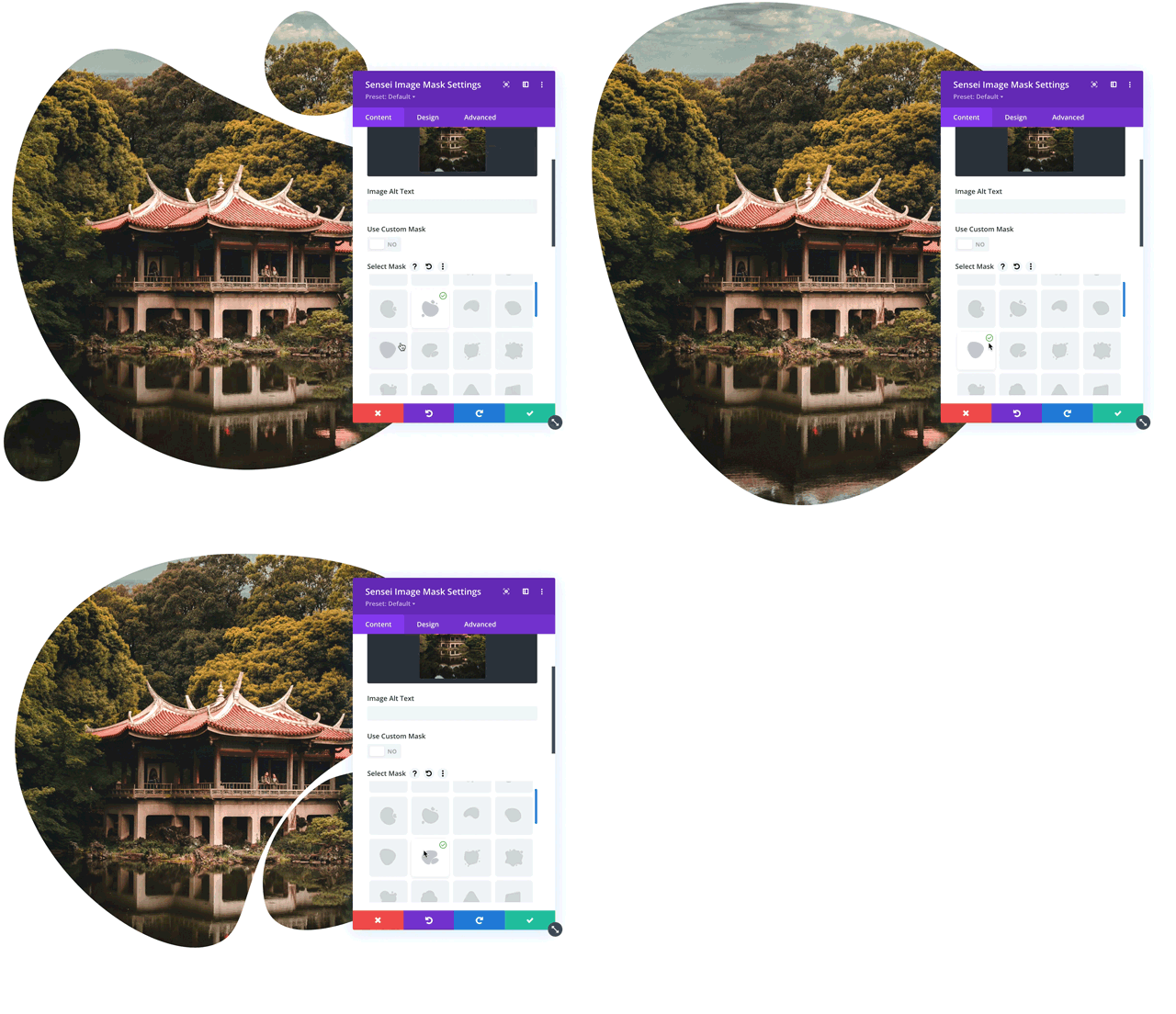
The Divi Sensei Image Mask module offers powerful settings to control the mask appearance and style. It comes with 40 predefined masks, but it also allows uploading custom SVG masks to the module.

40 predefinied masks

Preview masks in module settings

Upload custom SVG mask

Flip, Rotate and Scale the mask

Responsive Settings

Custom border and decorative elements
Demo 1
Image Mask

Create Beautiful Images with Image Mask Module

This image has a modern fluid shape with a custom border and 2 decorative dotted circles added. The custom frame has a translucent red color and 2 decorative elements are placed in the upper left and lower right corners creating a beautiful composition.
Demo 2
Decorative Elements

Add Decorative Elements to Images with Ease

The Divi Sensei Image Mask module offers 2 additional layers that can be added to a project and displayed above or below the image. There are 15 decorative elements in this module that you can customize by changing position, color, size and angle.
Demo 3

Patricia Doyle

Curabitur eget efficitur neque, at semper eros. In sagittis odio orci, vel tincidunt sapien pharetra vitae. Nulla ultricies sagittis mauris convallis congue.


Mark Spencer

Curabitur eget efficitur neque, at semper eros. In sagittis odio orci, vel tincidunt sapien pharetra vitae. Nulla ultricies sagittis mauris convallis congue.

Ann Doe

Curabitur eget efficitur neque, at semper eros. In sagittis odio orci, vel tincidunt sapien pharetra vitae. Nulla ultricies sagittis mauris convallis congue.

Demo 4
Image Masks

40 predefined masks you are going to love

Add shaped images to your Divi website with ease. Image Mask module offers 40 predefined masks. Once the image is uploaded, you can scale it and position properly, so it is displayed perfectly within the mask.
Demo 5
Enhance your designs

Use Image Mask module to enhance your designs

Displaying rectangle images on your Divi website might be sometimes a bit boring. Shaped images can not only spice up your designs but also add a more sophisticated look to your site.
Demo 6
Decorative Elements

Add Decorative Elements to Images with Ease

The Divi Sensei Image Mask module offers 2 additional layers that can be added to a project and displayed above or below the image. There are 15 decorative elements in this module that you can customize by changing position, color, size and angle.

Choose your plan

The Divi Sensei Image Mask module offers powerful settings to control the mask appearance and style. It comes with 40 predefined masks, but it also allows uploading custom SVG masks to the module.

Secure Payments
Purchase
Accordion Image

Accordion Image

Before After Slider

Before After Slider

Blog Slider

Blog Slider

Breadcrumbs

Breadcrumbs

Button Grid

Button Grid

BESTSELLER
Carousel

Carousel

CREATIVE
Content Toggle

Content Toggle

Countdown

Countdown

NEW
Dual Heading

Dual Heading

Fancy Text

Fancy Text

Flip Box

Flip Box

Floating Images

Floating Images

Hover Box

Hover Box

CREATIVE
Image Hotspot

Image Hotspot

Image Magnifier

Image Magnifier

UNIQUE
Image Mask

Image Mask

UNIQUE
Image Showcase

Image Showcase

NEW
Image Slider

Image Slider

CREATIVE
Lottie Icon

Lottie Icon

Masonry Gallery

Masonry Gallery

UNIQUE
Panorama

Panorama

Price List

Price List

Scroll Image

Scroll Image

NEW
Star Rating

Star Rating

NEW
Timeline

Timeline

Tilt Image

Tilt Image

NEW
Typing Text

Typing Text

NEW
SVG Animator

SVG Animator